Dashboard Beginner Walkthrough: What the STANIFICENT WORKFORCE Dashboard Actually Shows
Author: STANIFICENT STANIBIZ DIGITAL SYSTEMS AND MEDIA COMPANY LIMITED
Published: 23 May 2026 6:27 PM
👁 26 Views
Introduction
STANIFICENT WORKFORCE is a cloud-based Software as a Service (SaaS) workforce management system designed to help organizations manage workforce operations, attendance visibility, workforce scheduling, operational reporting, role-based access control, and centralized workforce monitoring from a unified operational environment.
The Dashboard serves as the primary workspace home screen for administrators and operator-level users. It centralizes workforce visibility, operational shortcuts, subscription monitoring, geofence visibility, workforce scheduling visibility, and operational notifications into a single workspace-scoped interface.
As a globally accessible workforce management solution, STANIFICENT WORKFORCE supports organizations and workforce teams operating across different locations, cities, and countries using isolated workspace environments. Businesses operating from Benin City, Edo State, Lagos, Abuja, Port Harcourt, and other parts of Nigeria can use the platform alongside organizations managing workforce operations across the United States, United Kingdom, Canada, Germany, United Arab Emirates, India, China, Japan, Australia, and other international regions.
This beginner walkthrough explains what the Dashboard actually shows, how the Dashboard operates, how dashboard visibility works, and how organizations can use the Dashboard for workforce coordination, workforce visibility, workforce monitoring, and operational oversight inside a cloud workforce management platform.
Table of Contents
What the Dashboard Is
Dashboard Route Structure
Dashboard Access Control
Dashboard Sidebar Visibility
Dashboard Metric Cards
Dashboard Quick Links
Dashboard Usage Card
Dashboard Geofence Radius Preview
Dashboard Published Weekly Rosters
Dashboard Notification Visibility
Dashboard Feature Gating
Dashboard Operational Use Cases
Dashboard Workflow Summary
Key Takeaways
Frequently Asked Questions
What the Dashboard Is
The Dashboard is the main operational home screen inside STANIFICENT WORKFORCE.
The Dashboard is designed to help organizations quickly review operational workforce information immediately after login without opening multiple modules separately.
The Dashboard acts as a centralized workforce operations overview environment while still maintaining separation between:
Dashboard sections
Sidebar modules
Separate operational pages
Linked workflows
Shared operational visibility
For example:
Attendance remains a separate operational module
Reports remain separate reporting pages
Leave remains a separate workflow
Announcements remain a separate sidebar module
Payroll-related pages remain separate operational pages
The Dashboard may provide Quick Links or operational visibility into these modules, but the Dashboard itself does not replace the modules.
This separation helps maintain cleaner workforce operations and controlled workflow organization inside the workforce management system.
Dashboard Route Structure
The Dashboard operates using workspace-scoped routing.
each organization operates inside its own isolated workspace
This architecture allows organizations from different countries and operational regions to use the same cloud workforce management platform while maintaining isolated workforce environments.
The Dashboard routing structure supports:
Workspace isolation
Workforce data separation
Multi-organization SaaS operations
Controlled workforce visibility
Multi-location workforce operations
This architecture is important for organizations operating distributed workforce teams across multiple branches, office locations, operational regions, or countries.
Dashboard Access Control
Dashboard access is protected using authentication and access-level visibility rules.
The Dashboard requires:
Authenticated login session
Minimum operator-level access
This means not every workforce user automatically receives Dashboard visibility.
Depending on role visibility:
Some users open Dashboard after login
Some users may instead open Profile pages
This role-aware visibility structure helps organizations maintain controlled workforce access management while reducing unnecessary operational clutter for lower-level users.
For organizations managing workforce operations across multiple teams or departments, role-aware Dashboard visibility helps maintain operational structure and controlled workflow access.
Dashboard Sidebar Visibility
The Dashboard appears inside the workspace sidebar navigation for eligible users.
Sidebar visibility depends on:
User role
Workspace feature availability
Workspace plan access
Navigation visibility rules
This distinction is important because:
Sidebar Modules Are Separate
Separate sidebar modules may include:
Attendance
Reports
Tasks
Leave
Announcements
Off Rosters
Payroll-related pages
Cash Expenses
These remain independent operational modules.
Dashboard Sections Are Separate
The Dashboard itself may render:
Workforce metric cards
Quick Links
Usage visibility
Geofence previews
Weekly roster visibility
Operational notification visibility
The Dashboard therefore acts as an operational overview environment instead of becoming a replacement for operational modules.
This improves workflow organization and operational navigation inside the workforce management software.
Dashboard Metric Cards
The Dashboard renders operational metric cards that provide workforce visibility immediately after login.
The metric cards include:
Staff Members
Departments
Attendance Logs
These values are generated using workspace-scoped operational counts.
Why Dashboard Metric Cards Matter
The metric cards help organizations quickly monitor:
Workforce size visibility
Department visibility
Attendance activity visibility
without opening multiple operational pages.
For example:
A company operating from Lagos can quickly review attendance activity across departments
An organization in Abuja can monitor workforce growth visibility
A business in Benin City can supervise attendance visibility across workforce teams
International organizations can maintain centralized workforce visibility across distributed operational locations
The metric cards help improve workforce operational awareness inside the cloud-based workforce management system.
Dashboard Quick Links
The Dashboard includes a Quick Links section used for fast operational navigation.
Quick Links are dynamically generated based on:
User role
Workspace feature availability
Workspace plan access
Feature-gating visibility rules
Linked Operational Modules
Quick Links may connect to operational modules such as:
Attendance
Tasks
Leave
Reports
Off Rosters
Monthly Summary Report
Payroll-related pages
Cash Expenses
The Dashboard itself does not replace these modules.
Instead, the Dashboard acts as a centralized operational entry point into linked workforce management workflows.
Role-Based Quick Link Visibility
Administrators may receive expanded Quick Link visibility.
Operator-level users may receive smaller operational link groups.
Quick Links may disappear when:
Workspace plans restrict the feature
Visibility rules block the route
Workspace features are unavailable
This helps maintain:
Controlled workforce visibility
Subscription-aware SaaS rendering
Workspace-level feature isolation
Permission-aware navigation
This workflow is especially important for organizations operating across multiple teams, departments, branches, or workforce environments.
Dashboard Usage Card
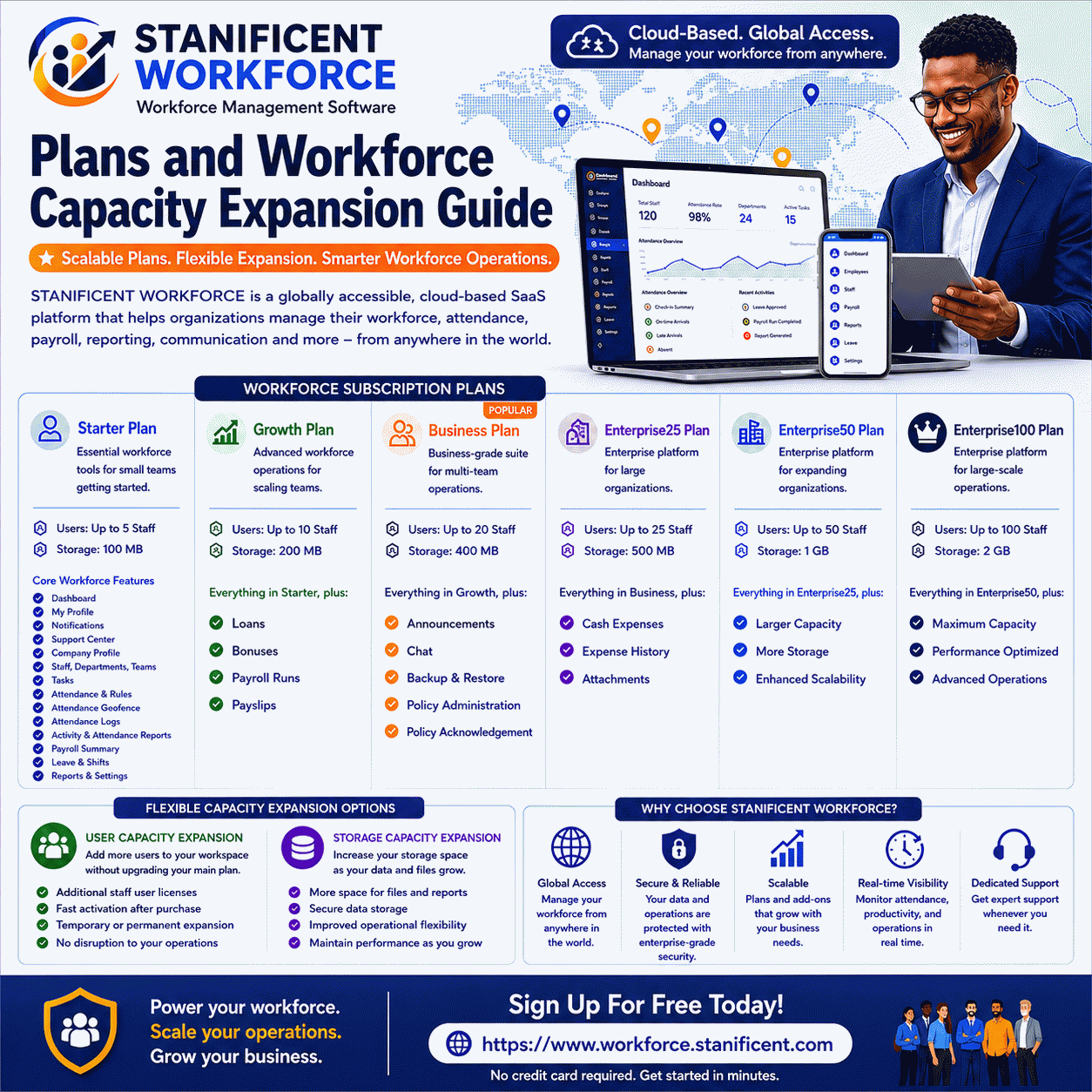
The Dashboard renders a Usage Card panel that displays workspace subscription and operational usage visibility.
The Usage Card may include:
Plan visibility
Storage usage
Remaining storage
User limits
Add-on visibility
Subscription windows
Expiry visibility
Workspace status
Why the Usage Card Matters
The Usage Card helps organizations monitor:
Workforce growth
Storage consumption
Subscription visibility
User expansion requirements
Operational capacity visibility
For example:
An organization headquartered in Benin City, Edo State can allow administrators in Lagos and Abuja to monitor attendance visibility, workforce schedules, operational notifications, and workforce activities from the same centralized workspace environment.
A company operating branches across Nigeria can allow managers in Port Harcourt, Kano, Delta State, and other operational regions to remotely access the same workforce dashboard while maintaining role-based visibility controls.
International organizations can allow workforce teams operating across the United States, United Kingdom, Canada, Germany, United Arab Emirates, India, China, Japan, Australia, and other global regions to securely access the same cloud-based workspace environment from different countries and time zones.
Remote workforce teams, hybrid organizations, and multi-location businesses can coordinate workforce operations, monitor workforce activities, review workforce schedules, and maintain centralized workforce visibility collaboratively from anywhere in the world through the STANIFICENT WORKFORCE Dashboard.
STANIFICENT WORKFORCE is a globally accessible cloud-based Software as a Service (SaaS) workforce management platform developed and managed by STANIFICENT STANIBIZ DIGITAL SYSTEMS AND MEDIA COMPANY LIMITED. The platform is designed to help organizations maintain centralized workforce coordination, workforce visibility, operational oversight, and remote workforce accessibility through isolated workspace environments that support both local and international workforce operations.
The Usage Card improves operational oversight inside the SaaS workforce management environment.
Dashboard Geofence Radius Preview
When geofence functionality is enabled, the Dashboard renders the Geofence Radius Preview section.
This panel may include:
Active geofence locations
Radius visibility
Live location comparison
Inside/outside validation visibility
Map interaction controls
Dashboard actions may include:
Test My Current Location
and
Enable Map Interaction
How the Geofence Workflow Operates
The Dashboard compares live user coordinates against configured geofence circles.
The system then renders:
Distance visibility
Location status visibility
Acceptance visibility
This allows organizations to preview whether workforce users are operating inside approved work areas.
For organizations operating across multiple office locations, branches, or workforce sites, geofence visibility improves attendance oversight while maintaining centralized workforce coordination.
Dashboard Published Weekly Rosters
The Dashboard also renders Published Weekly Rosters visibility.
This section may include:
Active Week visibility
Upcoming Week visibility
Staff off-day summaries
Published roster visibility
Why Weekly Rosters Matter
The roster visibility panels help organizations:
Review workforce schedules
Monitor staffing coverage
Verify off-day assignments
Plan upcoming workforce operations
Reduce scheduling conflicts
This improves workforce coordination for:
Local workforce operations
Remote workforce teams
Distributed branch operations
International workforce environments
Organizations operating across Nigeria, Canada, the United Arab Emirates, Germany, India, or other international regions can maintain centralized workforce scheduling visibility through isolated workspace environments.
Dashboard Notification Visibility
The Dashboard also renders operational notification visibility sections.
This may include:
Notification cards
Read/unread visibility
Banner visibility
Mark Read actions
Unread notifications may be updated using dashboard actions such as:
Mark Read
Why Notification Visibility Matters
Notification visibility helps organizations:
Reduce missed operational updates
Improve workforce awareness
Centralize operational communication visibility
Improve operational coordination
This becomes increasingly important for organizations operating distributed workforce teams across multiple operational locations or countries.
Dashboard Feature Gating
The Dashboard uses feature-aware rendering logic.
Some dashboard sections or Quick Links may disappear depending on:
Workspace plan restrictions
Feature mappings
User role permissions
Workspace feature availability
This allows STANIFICENT WORKFORCE to maintain:
Subscription-aware rendering
Workspace-level feature isolation
Controlled operational visibility
Scalable SaaS workforce management operations
The Dashboard therefore changes dynamically depending on workspace configuration and operational visibility rules.
Dashboard Operational Use Cases
Organizations can use the Dashboard for multiple workforce management activities including:
Workforce monitoring
Attendance visibility
Workforce scheduling visibility
Workforce coordination
Workforce operational oversight
Subscription monitoring
Workforce activity visibility
Multi-location workforce management
For example:
Organizations in Benin City can supervise branch workforce activity
Businesses in Lagos can coordinate workforce scheduling across departments
Companies operating in Abuja can monitor operational attendance visibility
International organizations operating across the United States, United Kingdom, Canada, Germany, United Arab Emirates, India, China, Japan, and Australia can maintain centralized workforce operations through isolated workspace environments
The Dashboard helps improve centralized workforce visibility inside the cloud-based workforce management platform.
Dashboard Workflow Summary
The Dashboard combines multiple workforce visibility systems into one centralized operational environment including:
Workforce metric visibility
Operational shortcut visibility
Subscription and usage monitoring
Geofence visibility
Workforce scheduling visibility
Notification visibility
Role-aware navigation
Feature-aware rendering
while still maintaining separation between:
Dashboard sections
Sidebar modules
Separate operational pages
Linked workflows
Shared operational visibility
This helps organizations maintain structured workforce operations without merging unrelated operational workflows into a single page.
Key Takeaways
The Dashboard operates using workspace-scoped SaaS routing
Dashboard visibility depends on authentication and role access
Sidebar modules remain separate from dashboard sections
Metric cards provide workforce operational visibility
Quick Links provide controlled access into linked operational modules
Usage Cards monitor workforce subscription and capacity visibility
The Dashboard is the primary operational workspace home screen used for workforce visibility, scheduling visibility, geofence previews, operational notifications, and workforce operational monitoring.
Is the Dashboard the same as the Attendance module?
No. Attendance remains a separate operational module. The Dashboard may provide Quick Links or operational visibility into Attendance workflows, but the module itself remains separate.
Who can access the Dashboard?
Dashboard access requires authenticated login and minimum operator-level access.
Does each organization operate inside its own workspace environment?
Is STANIFICENT WORKFORCE a cloud-based SaaS platform?
Yes. STANIFICENT WORKFORCE operates as a cloud-based Software as a Service (SaaS) workforce management platform.
Can organizations from different countries use the same platform?
Yes. Organizations operating across different countries and international regions can use the platform through isolated workspace environments.
What do the Dashboard metric cards display?
The metric cards display workforce operational visibility such as Staff Members, Departments, and Attendance Logs.
What are Dashboard Quick Links?
Quick Links are operational navigation shortcuts that provide access into linked workforce management modules.
Why do some Quick Links disappear?
Quick Links may disappear because of workspace plan restrictions, feature availability, or role-based visibility rules.
What does the Usage Card display?
The Usage Card displays workspace usage visibility including storage usage, user limits, add-ons, subscription windows, expiry visibility, and workspace status.
What is the purpose of the Geofence Radius Preview?
The Geofence Radius Preview compares live user coordinates against configured geofence locations to validate operational location visibility.
Does the Dashboard support workforce scheduling visibility?
Yes. The Dashboard renders Published Weekly Rosters including active and upcoming scheduling visibility.
Can organizations monitor off-day visibility from the Dashboard?
Yes. Weekly roster visibility may include staff off-day summaries.
What operational notifications appear on the Dashboard?
The Notifications feature exists as a separate sidebar module in STANIFICENT WORKFORCE. Some operational pages such as “My Profile” may also display embedded workflow-related notifications and approval updates.
Is the Dashboard available for all users?
No. Users without administrative or operator-level dashboard access may instead be redirected to their “My Profile” operational workspace, which contains employee-specific operational visibility and workforce information.
Does the Dashboard replace operational modules?
No. The Dashboard acts as a centralized operational overview while linked operational modules remain separate workflows.
Can organizations manage multi-location workforce operations from the Dashboard?
Yes. The Dashboard supports centralized workforce visibility across multiple branches, office locations, and operational regions.
Is STANIFICENT WORKFORCE suitable for remote workforce operations?
Yes. The platform supports globally accessible cloud-based workforce operations using isolated workspace environments.
Does the Dashboard support feature-aware rendering?
Yes. Dashboard visibility changes dynamically depending on workspace configuration and feature availability.
Why is workspace isolation important?
Workspace isolation helps organizations maintain separate workforce environments, controlled operational visibility, and structured workforce data separation inside the SaaS platform.
Author: STANIFICENT STANIBIZ DIGITAL SYSTEMS AND MEDIA COMPANY LIMITED
Published: 24 May 2026 7:01 AM
Introduction Every organization grows differently. Some businesses begin with a small operational team handling daily attendance and employee coordination, while others manage multiple departments, branch offices, remote...
Author: STANIFICENT STANIBIZ DIGITAL SYSTEMS AND MEDIA COMPANY LIMITED
Published: 24 May 2026 6:03 AM
Introduction Modern organizations require organized workforce onboarding systems, secure workspace activation workflows, and centralized workforce communication environments to manage employees efficiently across multipl...